


Overwhelmed by a large number of monitored objects? With Lerwee Directory View, assets can be clearly categorized, easily managed, and quickly located.
More servers are procured, network domains are further divided, and operation‑and‑maintenance staff keep changing. The device list on your monitoring platform keeps growing, leaving you stuck with messy permissions, alerts and searches. The problem is not poor management capability, but the lack of a multi‑dimensional classification directory system.
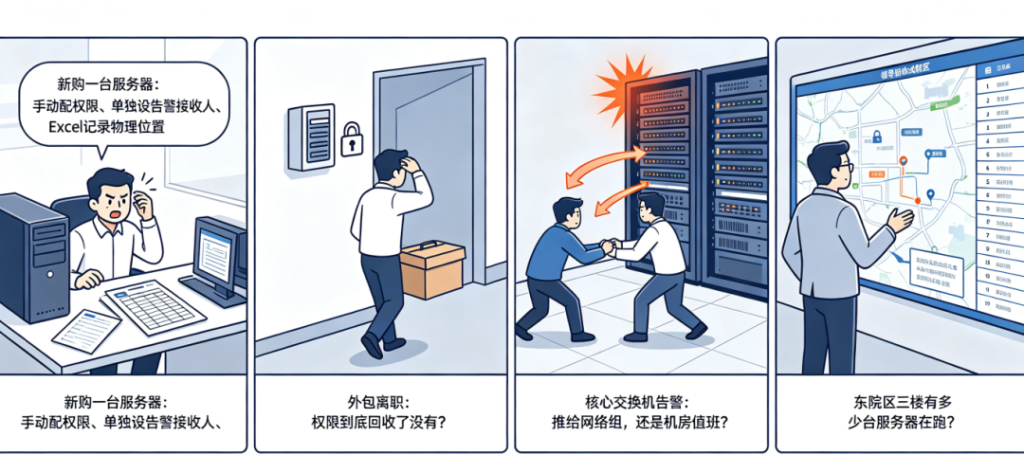
Pain Point: Unclassified monitoring is just a jumbled mess
When a new server is added, you have to manually configure permissions, set alert recipients separately, and record its physical location in Excel.
Complicated operations are not the worst part — the real issue lies in the absence of classification.
When outsourced staff leave, have you really revoked permissions for their assigned devices?
When the core switch triggers an alert, should it go to the network team or the on‑call data‑center staff?
When leadership asks “How many servers are running on the 3rd floor of East Campus?”, you have to scroll through the entire device list to count manually.
The limitations of traditional flat lists mark the onset of O&M chaos.
01 Build Directories First, Then Onboard Assets — Multi‑dimensional Classification for Instant Clarity
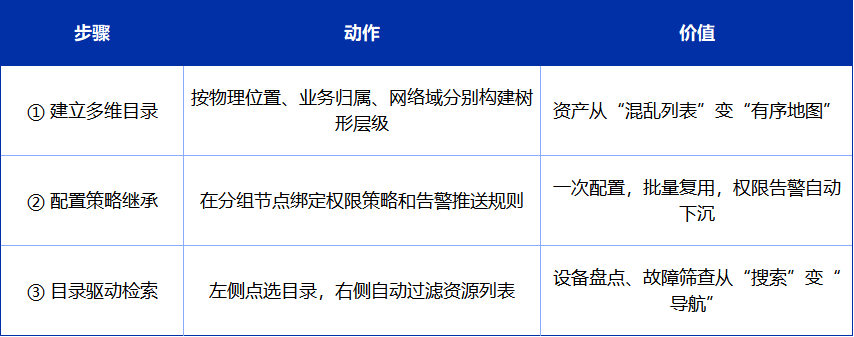
Lerwee Monitoring comes with a built‑in directory‑style tree view supporting unlimited nesting, so asset classification is no longer single‑threaded.
You may build custom directory hierarchies based on three core dimensions:
- Physical location: Campus → Building → Floor, for clear visibility of device physical positions.
- Business ownership: Business System → O&M Responsibility Unit, aligned with the scope of each business team.
- Network domain: Core Domain → DMZ → Office Domain, to meet security zoning requirements.
Key Capability: A single monitored object can be attached to multiple directories. For example, a core switch can belong to both “3rd Floor, Outpatient Building” and “Core Network Domain”. Onboard once, view from multiple dimensions, no duplicate configuration required.
Without it: You rely on human memory or Excel searches.
With it: Expand any dimension, and your assets are right there.
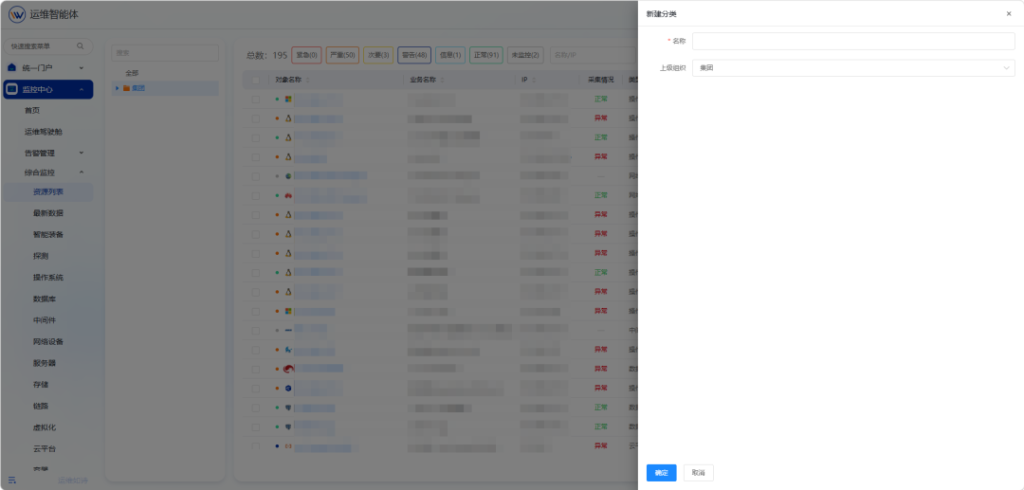
02 One‑time Configuration for Permissions & Alerts
Once directories are set up, attach policies to directory nodes.
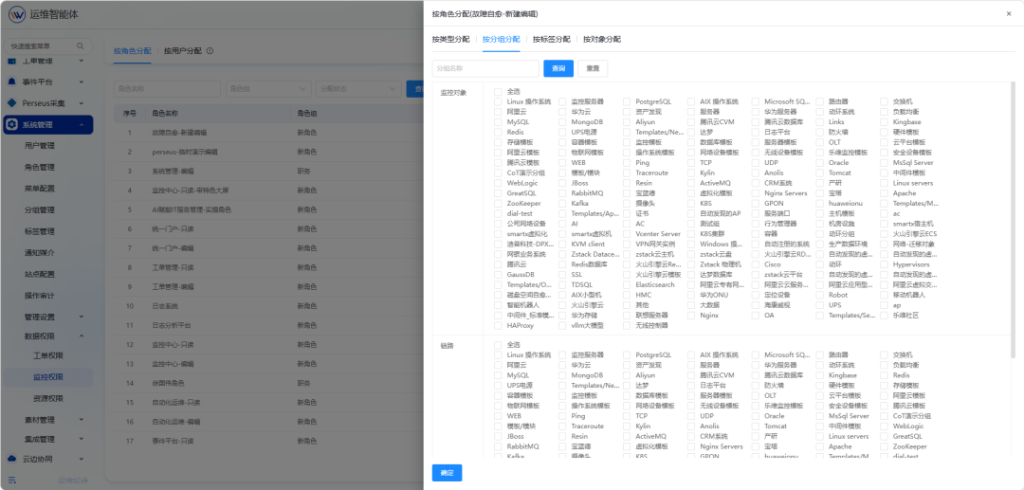
Automatic permission inheritance: Permission settings bind to group nodes. Assigned users automatically gain access to all monitored objects under the group. For new hires, simply assign corresponding roles. For departing outsourced staff, revoke their roles to recycle permissions. No need to tick devices one‑by‑one, eliminating security risks caused by missing configurations.
Reusable alert policies: Alert recipient rules are configured at group nodes and automatically apply to all objects within the group. Independent alert receivers can be set for different network domains or physical locations:
- Core Network Domain group → Alerts sent to network team lead
- East Campus group → Alerts sent to East Campus O&M team
- HIS Business System group → Alerts sent to the DBA team
Configure once, reuse in batches, and deliver alerts to targeted recipients.
Without it: Permissions are repeatedly misconfigured; broadcasting alerts to everyone renders them useless.
With it: Adding objects to a group automatically applies permissions and alert policies.
03 Directory‑based Search for Fast Location, No More Needle‑in‑haystack Searches
Looking up devices is a frequent daily O&M task.
With the tree‑structured directory:
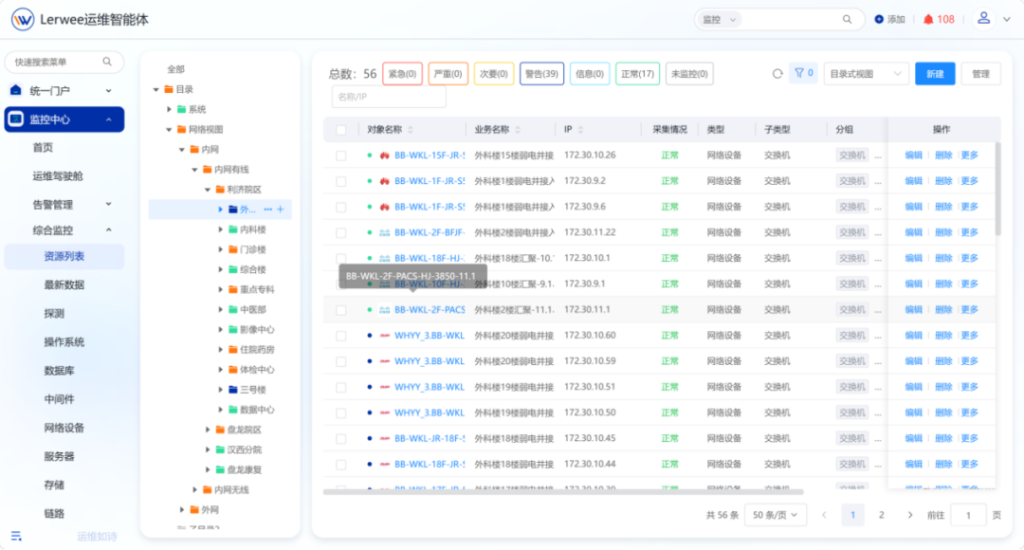
- Expand target nodes on the left‑hand side (e.g. East Campus → Outpatient Building → 3F Weak‑current Room).
- The resource list on the right is auto‑filtered to show only monitored objects under this directory.
- Directly view object name, IP address, collection status and device running status.
Device inventory, rapid fault screening and asset ledger sorting can all be done in seconds.
Without it: You hit Ctrl+F amid thousands of devices, searching for a needle in a haystack.
With it: Shift from blind searching to guided navigation, reach targets in 3 steps.
Best Practice: Three Steps to Make Assets Clear‑cut, Manageable and Quickly Accessible
The ultimate goal is not to monitor everything, but to free O&M engineers from tedious asset‑hunting, so they can focus on high‑value work.
- zabbix与乐维监控对比分析(三)——对象管理篇
- From Firefighting Operations to Autonomous Operations: What Problems Do Operation AI Agents Solve?
- How IT Monitoring Systems Reduce Suspicious Activity Rates for Enterprises
- Network visualization detection enables rapid troubleshooting
- Big News | Lerwee CMDB V7.0 Officially Released
- Lerwee O&M Agent: ARM Pre‑compiled Package Released for Out‑of‑the‑Box Xinchuang Deployment
 English
  Chinese (Hong Kong)