

Stop manually extracting OIDs! Convert MIBs into importable monitoring templates in 3 steps
Stop manually extracting OIDs: this template builder cuts the workflow from MIB to monitoring template down to three steps.
O&M engineers all share a common pain point. When integrating new or niche devices, you have to manually browse MIB libraries, look up OID nodes, enter monitoring metrics one by one and write collection rules. The process is tedious and time-consuming. It also tends to cause parameter entry errors and missing metrics, greatly slowing down monitoring deployment. This template builder is built to solve exactly this problem.
It takes a MIB file, a set of device metrics and a monitoring integration requirement, and turns them into template files importable to Lerwee, Zabbix or Prometheus. It serves daily work including device onboarding, project delivery and template maintenance.
Who should try this tool?
- O&M engineers. Your routine work involves new device integration, template maintenance, or handling piles of customer MIBs during project delivery. Every time you need to browse MIBs, look up OIDs and organize data manually.
- Users of Lerwee and open-source tools. You already have the platform, but templates have to be handmade one by one. Especially for multi-vendor devices with inconsistent naming and structures.
- Beginners to SNMP monitoring. You want to learn OIDs and understand MIBs, yet raw files are filled with English text and hierarchical structures, leaving you unsure where to start.
These users share one thing in common: they have monitoring targets, but lack a way to convert MIBs into templates.
You do not need to fully master MIB syntax. Generate templates in just three steps.
Tool access: https://forum.lwops.cn/sso/mib-parser
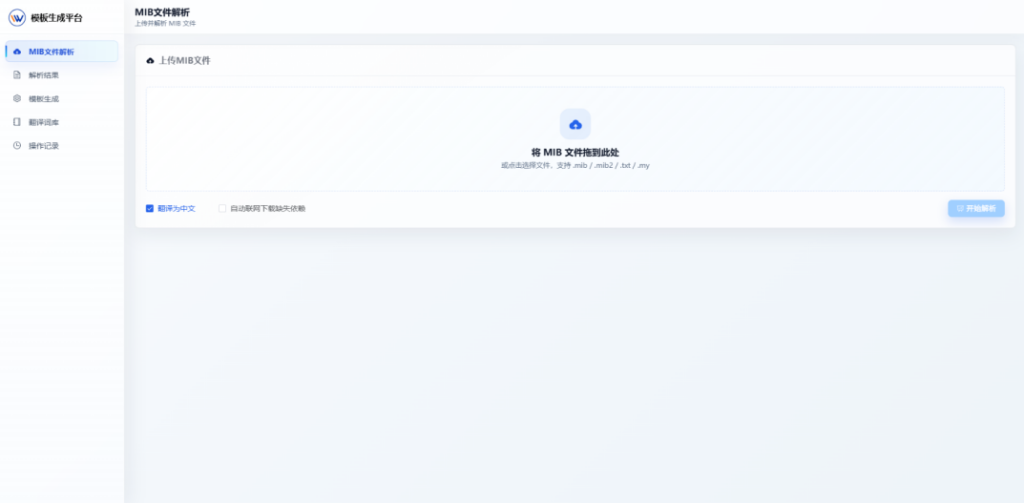
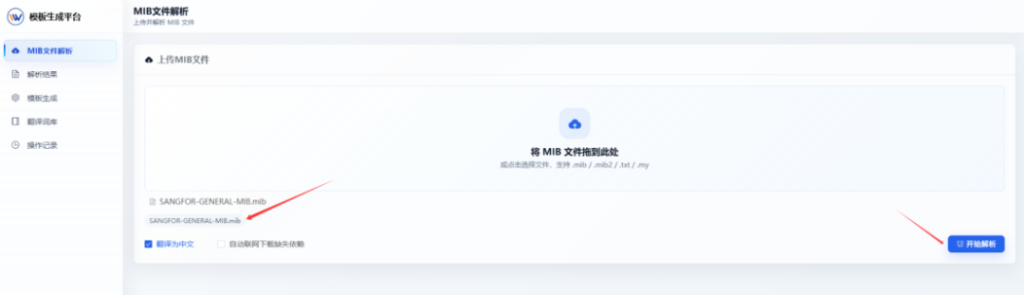
1、Parse MIB File
Import the MIB file to be parsed into the webpage. After import, you may choose whether to translate its key-value pairs into Chinese references, then start parsing.
2、View Parsing Results
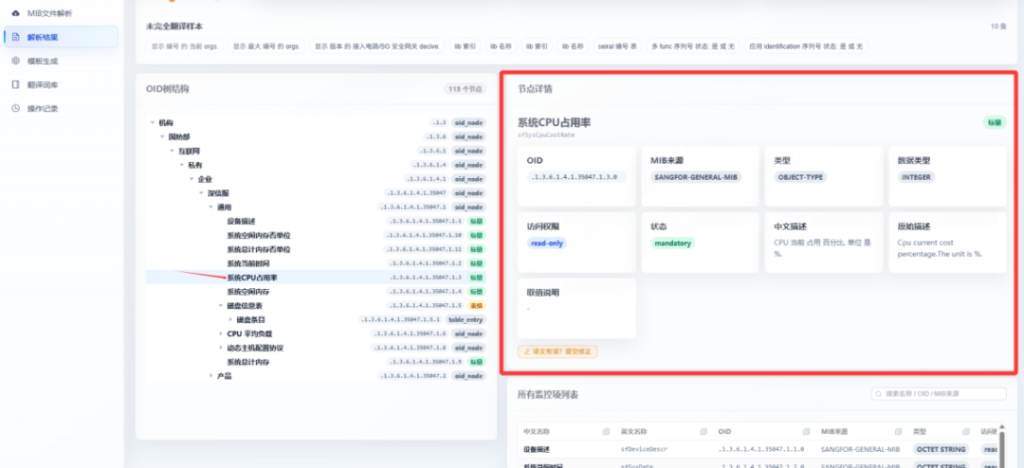
After parsing, you can view required information: Chinese name, English name, OID, MIB source, type and access permission.
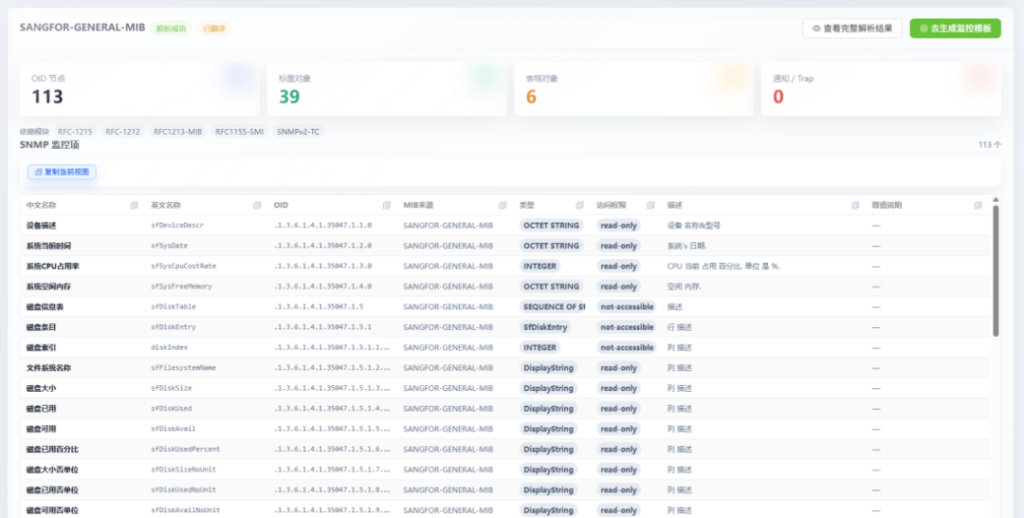
Click parsing results to view data via an intuitive OID tree structure. The system automatically distinguishes standard objects and table objects to help you confirm which metric OIDs to keep. Click a node to view its details on the right panel, such as data type, Chinese description and original description.
3、Generate Template
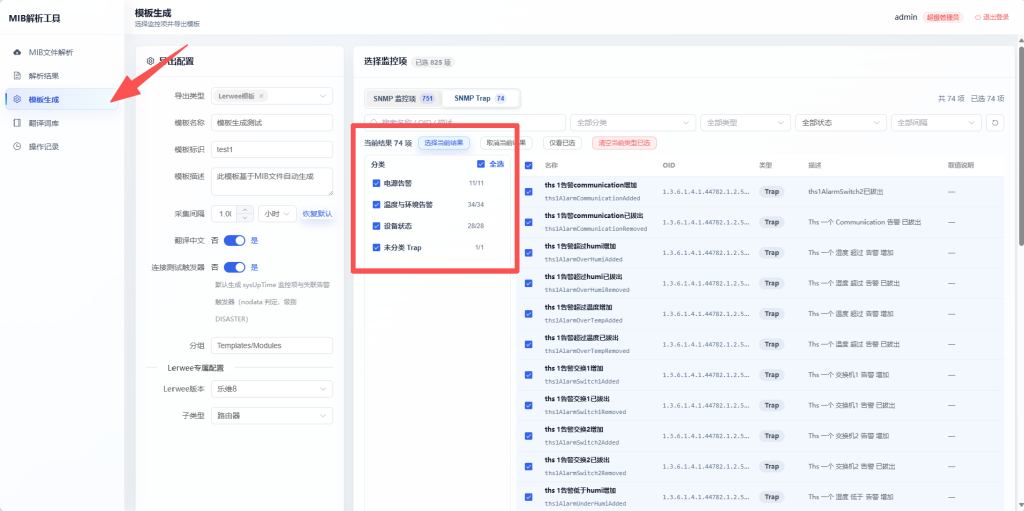
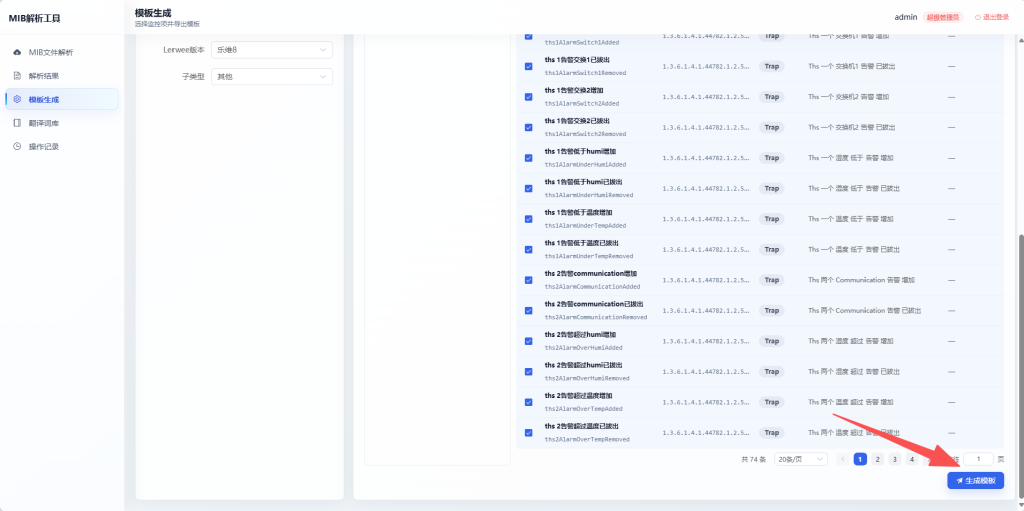
Click Generate Template to export templates. You can select templates for Lerwee, Zabbix or Prometheus. Pick the required metric OIDs and click Export Template to generate a template file.
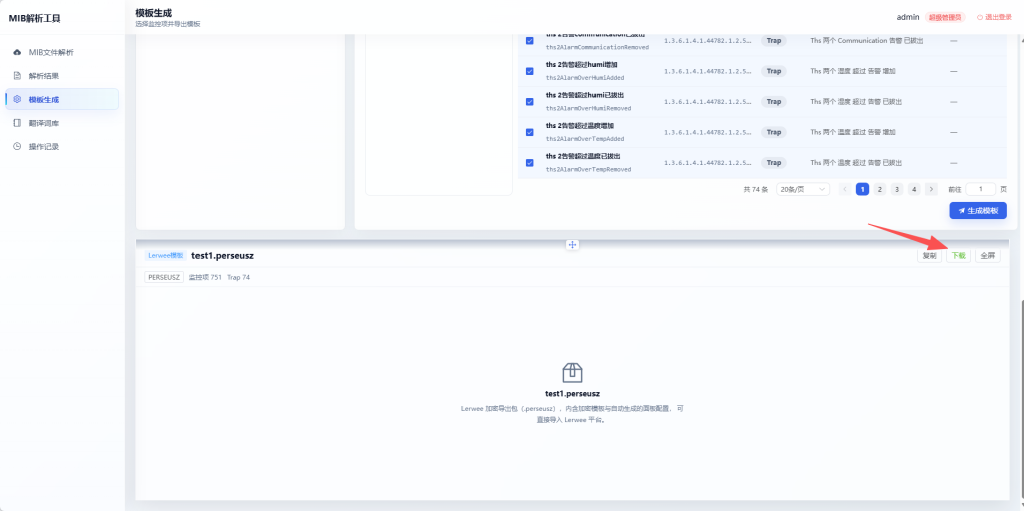
After generation, click download to save the file locally. Standardized templates save time and reflect professionalism.
When building templates manually, one wrong OID can invalidate all your work. The template builder chains parsing, preview and export into one streamlined workflow and lowers template creation costs.
This brings tangible benefits for users handling bulk onboarding and project delivery.
Three export options for Lerwee, Zabbix and Prometheus deliver downloadable template files. With unified naming and OID selection, standard deliverables are easier to produce. Repeated use of the same template structure builds consistent O&M logic and simplifies subsequent maintenance.
Template files require minimal manual work and reduce errors, even for small batches. This advantage becomes more obvious when you need to continuously produce multiple templates. Parsing results from the previous project can be reused, keeping consistent structures for subsequent devices and templates.
The best way to experience it is to run through these three steps with your own MIB file. For those wondering what the final output looks like, a downloadable template file is far more intuitive than written descriptions.
- How to replace SolarWinds to ensure enterprise IT security?
- From Firefighting Operations to Autonomous Operations: What Problems Do Operation AI Agents Solve?
- The world’s first all-toolchain integrated O&M intelligent agent joins forces with OpenClaw
- Perseus Collection
- Lewei Invited to Volcengine FORCE Original Power Conference
- Essential O&M Tool: Server Monitoring Insights
 English
  Chinese (Hong Kong)