


Lerwee 8.1 Launch: Multi-Module Deep Optimization for Intelligent O&M
Since the release of Lerwee Version 8.0, the Lerwee community has attracted nearly 10,000 users, with new downloads exceeding 1,000 and a total of 121 valuable feedback and suggestions received from users. Based on in-depth research and evaluation of these feedbacks, the Lerwee team has focused on improving user experience and core capabilities, comprehensively optimized the product, and launched Lerwee Version 8.1.
This upgrade focuses on seven core modules: Monitoring Center, CMDB, Network Management, Automated Operation and Maintenance, Event Platform, Perseus Collection, and Unified Portal. It adds and optimizes more than 60 key functions, aiming to build a more efficient, reliable, and scalable new intelligent operation and maintenance base for enterprises.
Note:
- New users can directly download the 8.1 deployment package: Download Lerwee 8.1 Deployment Package
- Users who have already deployed 8.0 can download the patch package to upgrade: Download Lerwee 8.1.0 Upgrade Patch Package
I. Monitoring Center: Smarter and More Efficient
In terms of the Monitoring Center, Lerwee 8.1 has carried out key upgrades and optimizations in business health, permission control, monitoring item operations, network topology, etc.
1. Comprehensive Upgrade of Business Health System
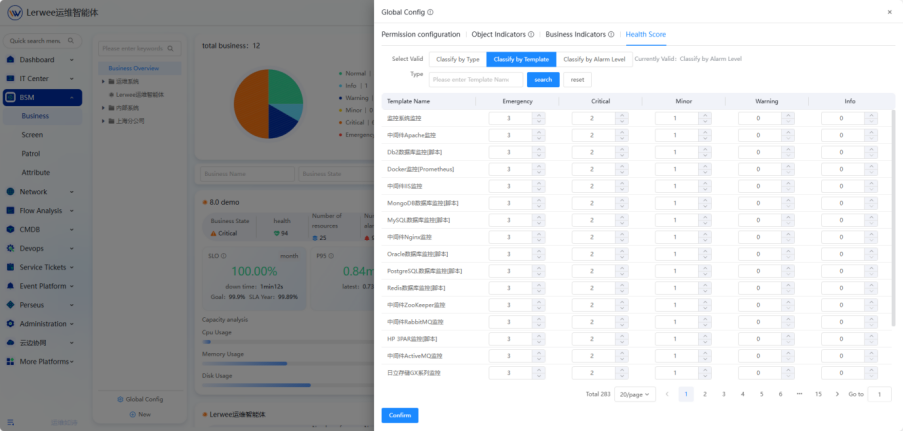
- On the basis of the original P75, new P50/P95/P99 response time configurations are added to evaluate business performance from multiple dimensions, reflecting system performance and user experience more comprehensively and three-dimensionally.
- Global configuration supports custom health score rules to flexibly adapt to the health assessment needs of different business scenarios.
2. Maintenance Mode Supports Role Permissions and Virtualized Objects
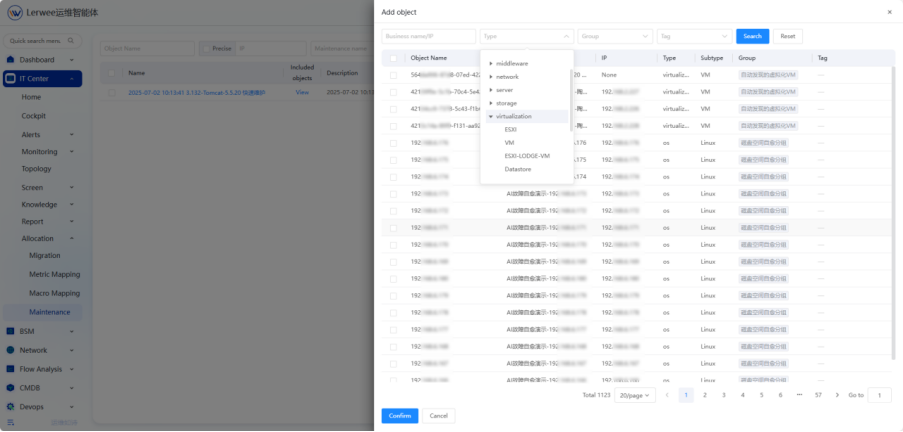
- New role-based permission control for maintenance resource configuration is added to achieve refined permission management;
- Maintenance operations for virtualized objects are supported for the first time, covering a wider range of cloud and hybrid environment operation and maintenance scenarios.
3. Leapforward in Monitoring Item Operation Experience
- The indicator list adds batch enable/disable functions and supports direct testing of monitoring items, enabling quick verification without page jumps;
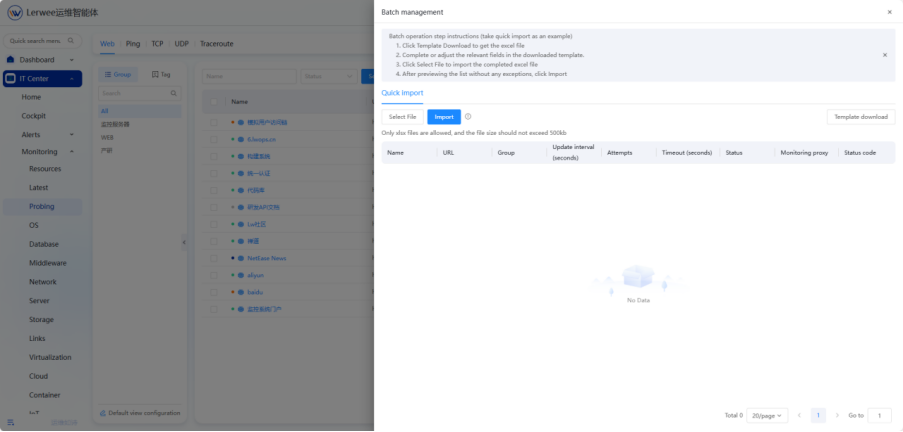
- Web detection supports batch import of status codes, greatly improving initialization efficiency.
4. Enhanced Network Topology Capabilities
- New parsing support for STP and OSPF protocols is added to improve the breadth and accuracy of automatic network device discovery;
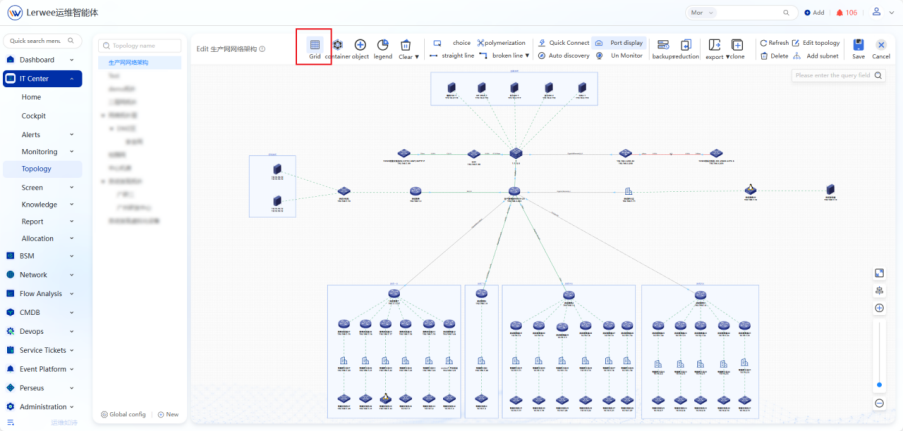
- A grid layout is introduced to make the topology view structure clearer and more visually intuitive.
5. Other Optimizations
- Process Mapping: New import/export functions are added to improve configuration flexibility;
- Monitoring Templates: Support for creating “type-free” templates (no Agent or SNMP required);
- Monitoring Details Page: The “First Discovery Time” field is added to the service port and application process cards to facilitate tracking of resource lifecycles;
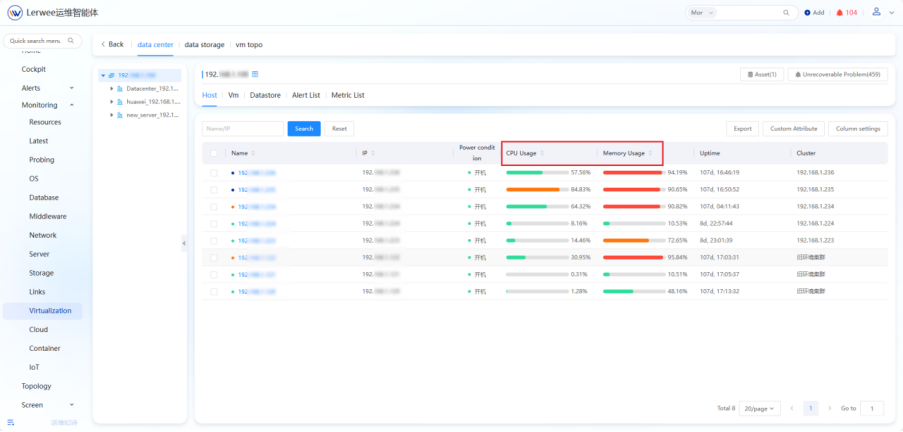
- Virtualization Details: Support sorting by CPU/memory usage/storage utilization to quickly locate high-load devices;
- Detection Tasks: The default unit of import frequency for TCP/UDP/Ping/Traceroute is optimized;
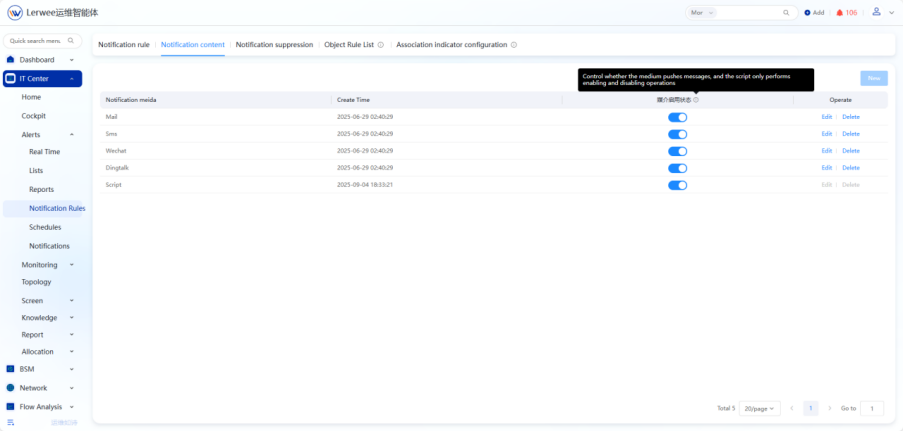
- Notification Configuration: Support for enabling/disabling notification media.
II. CMDB: Model-Driven and Flexibly Extensible
In terms of CMDB, Lerwee 8.1 has carried out key upgrades and optimizations in model management, data visualization, resource management operations, etc.
1. Comprehensive Evolution of Model Management
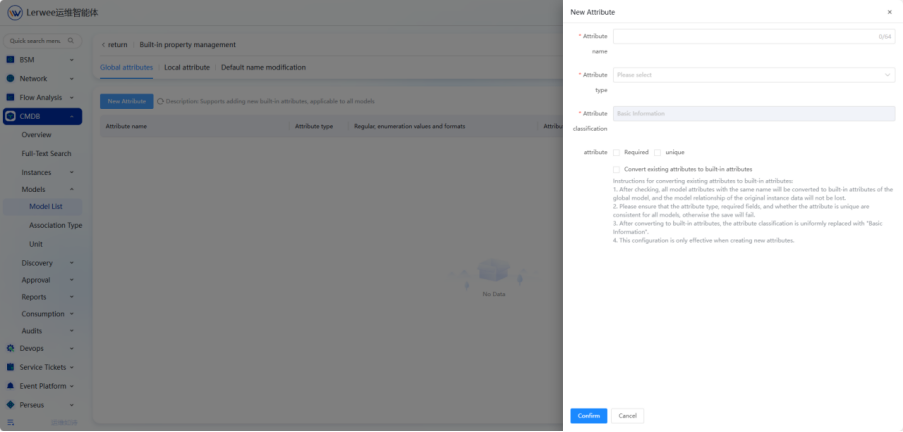
- Parent models support global attribute classification and topology configuration inheritance, and child models are automatically reused, significantly reducing duplicate configurations;
- The clone function synchronously copies attribute classifications, column settings, and change record policies, greatly improving modeling efficiency.
2. Further Upgrade of Data Visualization
- Custom reports add ring charts, bar charts, and line charts to meet diverse analysis needs;
- The asset topology display effect is optimized, and the 3D computer room view supports modeling of infrastructure such as load-bearing walls and power distribution cabinets, truly restoring the physical environment.
3. More Convenient Resource Operations
- The resource list adds a clone function, which only supports cloning within the same model;
- Automatic discovery rules also support import/export, facilitating cross-environment migration and backup.
4. Other Optimizations
- The model management sorting function is moved to the management menu, and the classification and sorting of the left tree structure are more reasonable;
- Change record configuration supports disabling attribute change records generated by scheduled tasks;
- Resource statistics reports add grouping filter conditions;
- The resource list removes the restriction on the [Monitored] field in batch updates, and Excel import/update supports array drop-down options.
III. Network Management: Accurate Discovery and Efficient Planning
In terms of Network Management, Lerwee 8.1 has carried out key upgrades and optimizations in business health, permission control, monitoring item operations, network topology, etc.
- Vendor Expansion: New support for PaloAlto vendor network security devices;
- IP Planning Upgrade:
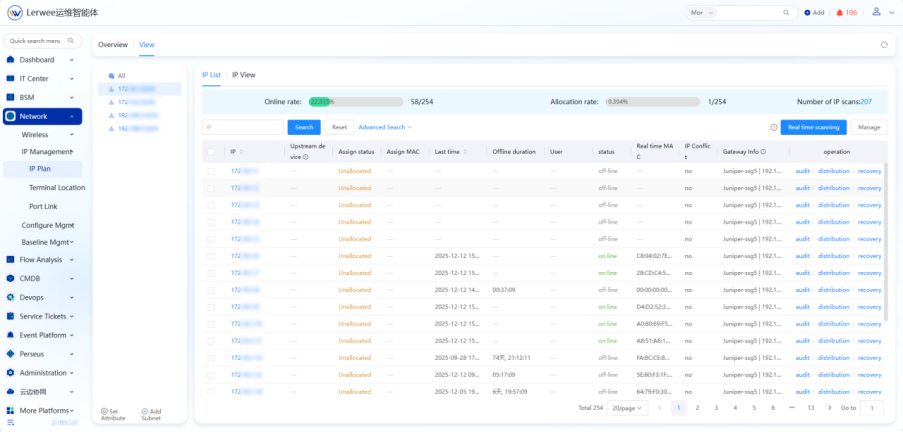
- A new IP scanning overview page is added, supporting Fping and Fping+ARP scanning methods for more accurate online status judgment;
- Supports scanning all IPs and allows viewing the number of IPs participating in scheduled scans in the current subnet to facilitate capacity planning;
- Configuration Backup Optimization: Failed tasks support viewing detailed error information for more efficient problem location;
- Application Traffic Analysis: New traffic trend charts for each application are added, and stacked charts are supported to intuitively present traffic composition.
IV. Automated Operation and Maintenance: High Flexibility and Reliable Execution
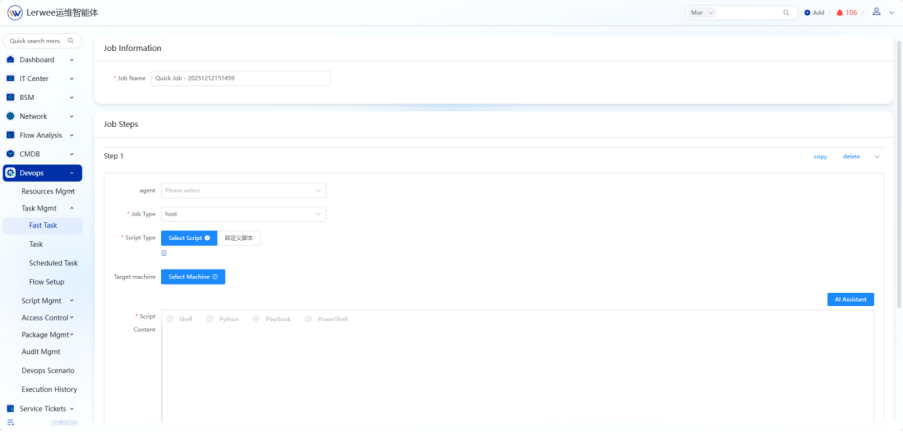
- Quick Jobs: Support custom script editing to unleash the creativity of operation and maintenance personnel;
- Scheduled Jobs: While retaining powerful scheduling rule capabilities, the operation process is simplified to improve configuration efficiency and execution reliability;
- Execution History: Support exporting records by all/successful/failed statuses to meet audit and review needs.
V. Event Platform: Alarm Linkage and Accurate Delivery
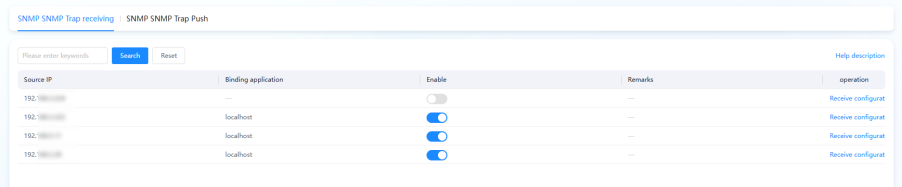
- New SNMP Trap receiving and pushing alarm functions are added to connect the alarm channels of traditional network devices. It solves problems such as passive alarm collection, scattered alarms from multiple devices, delayed alarm response, and disconnection between alarms and businesses.
- The notification content mapping adds object grouping variables, making alarm information more contextually relevant and accurate;
- Full alarm API interfaces are opened to facilitate seamless integration with third-party systems (such as work orders, large screens, and AIOps platforms);
- A new general alarm push switch is added, which can quickly turn off all pushes in emergency situations to facilitate task cleaning and system debugging.
VI. Perseus Collection Engine: Granular Permissions and Efficient Operations
1. Permissions Controlled to the Operation Granularity
- Functions such as monitoring items, triggers, and automatic discovery in host/template management all support menu-level permission control to meet enterprise security compliance requirements.
2. Enhanced Batch and Clone Capabilities
- Monitoring items support batch execution, batch updates, and cloning;
- The template list adds a clone function to quickly reuse best practices;
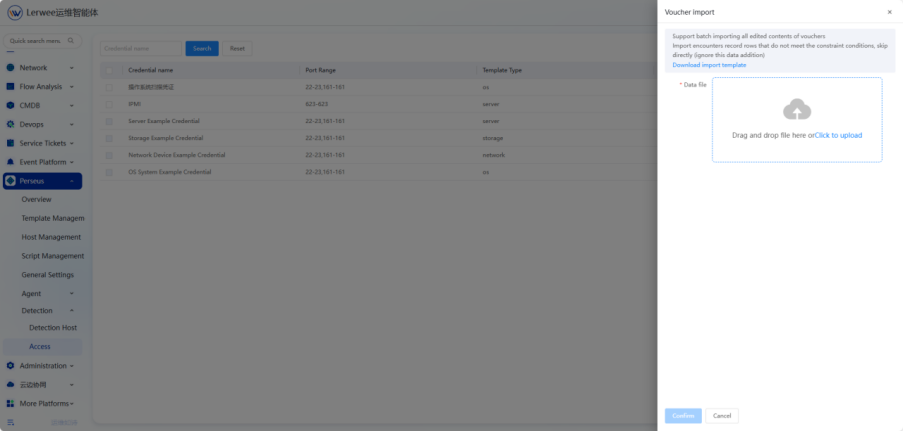
- Credential management supports importing multiple SSH/SNMP credentials with a single rule, adapting to complex heterogeneous network environments.
3. Improved Developer Friendliness
- A new trigger expression editor is added;
- Supports custom collection intervals and inherited macro editing, making configuration more flexible and debugging more convenient.
4. Other Optimizations
- Host Management: Automatic discovery rules support [Immediate Execution], and inherited macros can be added during editing;
- Template Management: Supports YAML format template import/export and is compatible with automatic discovery rules;
- Monitoring items/triggers and their prototypes all add a clone function, and the list page supports alarm search;
- Discovery Management: The column settings of the scan result list only apply to the current module, fixing logical interference issues, and a new scan failure list is added;
- Credential Management: A new import function is added to support batch import of multiple sets of credentials;
- Agent Management: The host list adds a business name field to facilitate tracking monitored devices; Manual Agent installation supports custom addition of multiple curl addresses.
VII. Experience and Integration: Unified Entry and Diverse Notifications
- Traffic Analysis: New visual traffic trend charts and multi-application stacked trend charts are added;
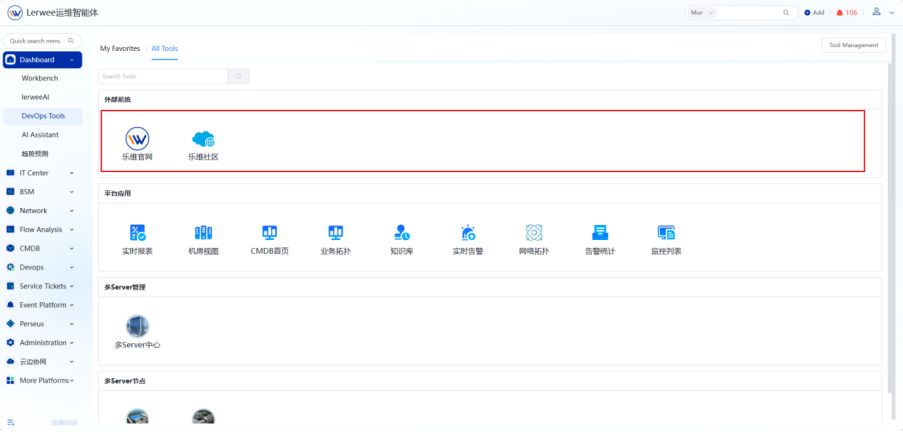
- Unified Portal: The operation and maintenance tools add external system integration authentication functions to create an integrated operation and maintenance entry;
- Notification Experience Optimization: The system has a built-in Feishu robot notification medium to further enrich alarm delivery channels and improve collaboration efficiency.
Summary
Every function of Lerwee 8.1 originates from the real needs of customers and active feedback from the community. We have always firmly believed that a good operation and maintenance product is the result of growing together with users. We would like to express our special thanks to the many community partners for their support.
In the future, Lerwee will continue to deepen digital and intelligent operation and maintenance capabilities, promote the in-depth integration of monitoring, CMDB, network management, automated operation and maintenance, etc., and help enterprises move towards a new era of intelligent, autonomous, and efficient digital operation and maintenance.
- How IT Monitoring Systems Reduce Suspicious Activity Rates for Enterprises
- Visual network traffic analysis
- Better Monitoring, Here with “7” | Lerwee Monitoring V7.0 Released
- A Brief Analysis of Zabbix_get Basic Commands
- A Comparative Analysis of Lerwee Network Management and SolarWinds
- How to replace SolarWinds to ensure enterprise IT security?
 Chinese (China)
  Chinese (Hong Kong)